The Writing Assistant
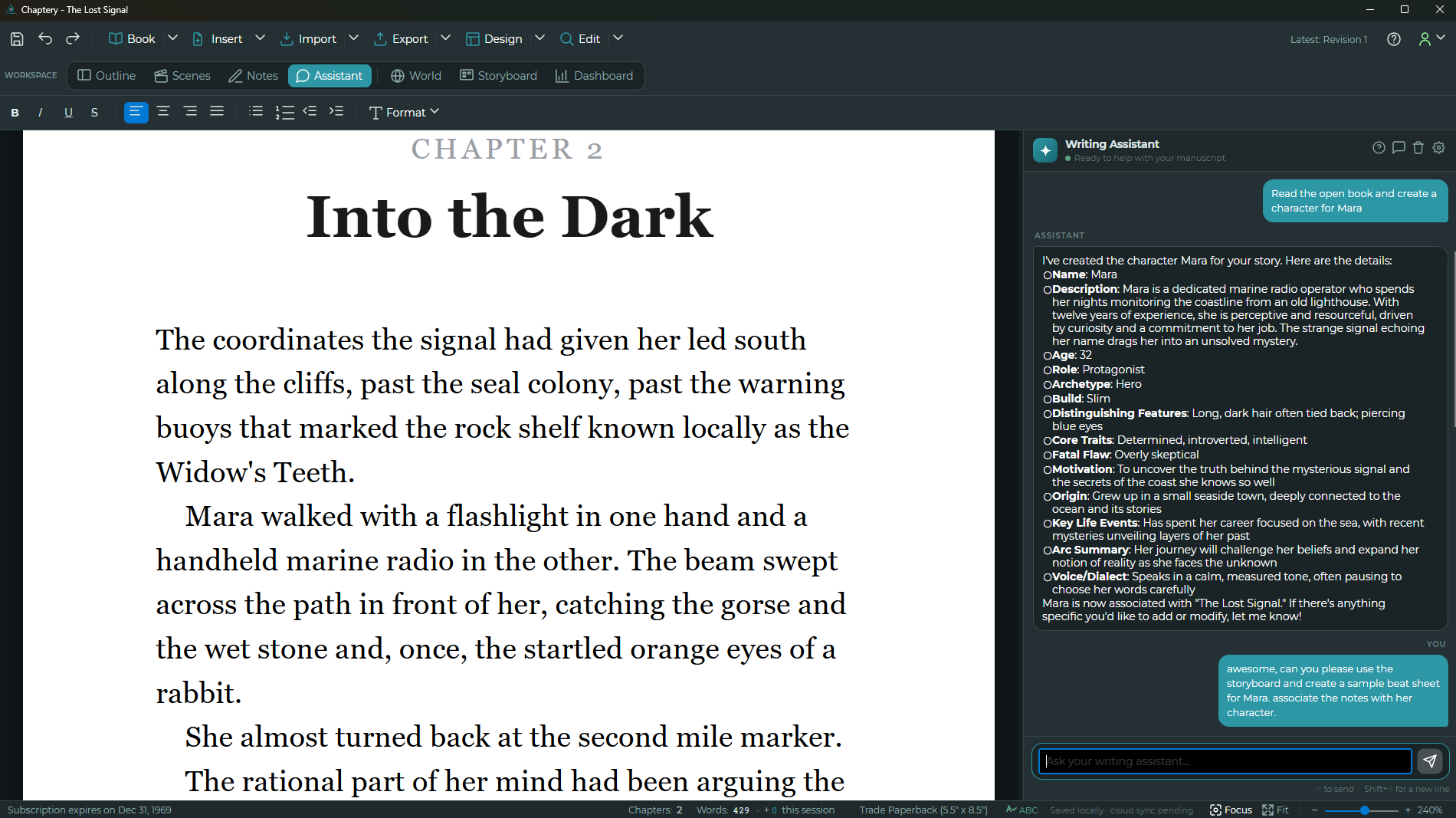
The Writing Assistant is a helper for the work *around* your writing. It isn't a co-author. Ask it to check a detail, talk through a plot knot, or tidy a passage, and it pitches in. You bring your own AI model, and you stay the author, start to finish.
What it's for
Think of the Assistant as a knowledgeable helper sitting beside you, someone to ask when you want to check a fact in your own manuscript, untangle a plot thread, get a passage tidied, or remember where a storyline left off. It's there to help with tasks, not to write your book for you.
Bring your own model
Chaptery doesn't bundle or bill for AI. You connect your own, so you're never locked into ours and only ever pay your provider for what you use. Open the Assistant, click the gear, and set:
- Provider: OpenAI, Claude from Anthropic, or Ollama for a model on your own computer.
- API key: from your provider. Ollama doesn't need one.
- Model: filled in for you (gpt-4o for OpenAI, Claude Haiku for Claude). Change it if you like.
For most authors, OpenAI's gpt-4o or gpt-4o-mini are good, affordable picks; gpt-5.6-luna is another solid choice.
Prefer a local model?
The Assistant also works with local models that run on your own computer. Choose Ollama as the provider; we recommend Qwen3 32B. Set up the AI writing assistant walks through it.
Working with it
Type your question or request into the chat and send it. Start a New chat whenever you switch tasks, and your past chats are saved with the book so you can pick one back up. Ask it to help with something and it'll do the work. Because anything it changes goes through the same undo as the rest of your editing, you can always step back. The first time you open it each session, a banner offers Create revision, so you can keep a copy of your book before asking for edits.
Where your words go
When you chat with the Assistant, your text goes directly to the AI provider you connected. What happens to it there is governed by that provider's terms, so it's worth reading up on whichever service you choose.