Writing & the Editor
The Storyboard
The Storyboard is a visual planning canvas, like a corkboard of sticky notes you arrange, colour, and connect to map out your plot, before or while you write.
A board for your ideas
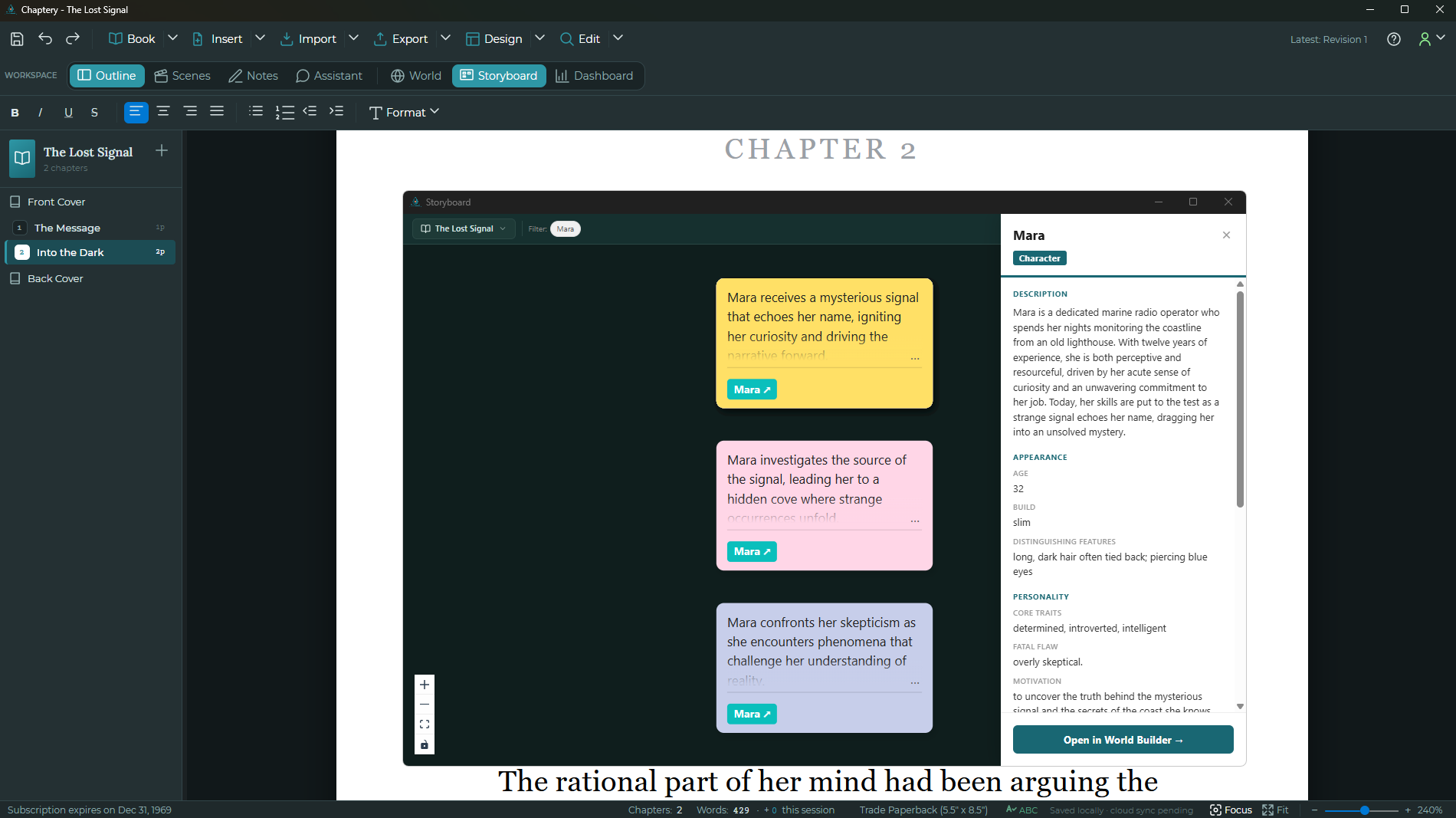
Open the Storyboard for a free-form canvas. Add sticky notes for beats, scenes, ideas, or reminders, and drag them anywhere. Type straight onto a note and it saves as you go. Make edits on the web or ask the Chaptery Assistant to create the notes for you!
Group and colour
Drop notes into frames to group related ideas (an act, a subplot, a chapter) and give notes a colour so you can tell threads apart at a glance.
Connect it to your world
Link a note to a character, location, or event from your world, so a beat carries its cast with it. The Storyboard and your world building are two views of the same story.
Everywhere you writeThe Storyboard is the same on the desktop app and in your browser, so you can plan on one and pick it up on the other.