The Writing Dashboard
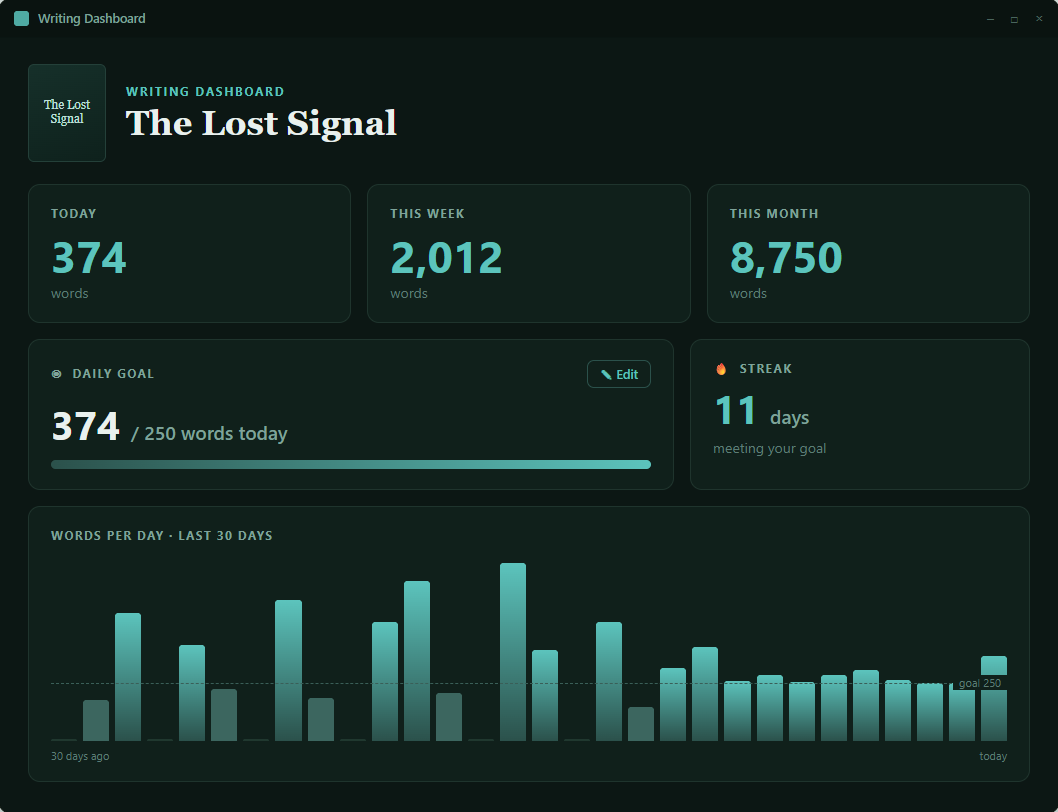
The Writing Dashboard turns your progress into something you can see: a daily word goal, today's count, your streak, and a month's view of how the words are coming.
Set a daily goal
Open the Writing Dashboard and set a daily word goal. As you write, it tracks today's words against your target and marks the day ✓ met when you hit it.
Build a streak
Hit your goal day after day and you build a streak, a simple, motivating nudge to keep showing up. Your recent progress shows on your book cards, too.
See the last 30 days
A chart shows your words per day over the last month, so you can see your rhythm: the big days, the quiet ones, and the trend.
Cutting words
Today counts your words from where your book stood when you started writing today. If you cut more than you write, Today shows how far below that point you are, such as −48 words below where you started today. New words count once you pass it.
A day of cutting never takes away from the rest of your progress. It counts as 0 in This Week and This Month, and the next day starts fresh. On the 30-day chart it shows as an orange bar below the line.