Set up the AI writing assistant
Chaptery's AI assistant is a chat panel that lives right beside your manuscript. Ask it questions, brainstorm, or have it work with your open book. It's bring-your-own-key, so you connect your own AI provider and stay in control of usage and cost.
Open the assistant
Choose View ▸ Assistant, or click the Assistant tab on the side panel. It opens on the right, as a tab beside Scenes and Notes.
Choose a provider
Click the gear at the top of the Assistant and pick a Provider. There are three: OpenAI, Claude from Anthropic, and Ollama, which runs a model on your own computer.
OpenAI or Claude
- Create an API key with your provider: at https://platform.openai.com/api-keys for OpenAI (it starts with
sk-), or at https://console.anthropic.com for Claude (it starts withsk-ant-). Both need a little prepaid credit, and the OpenAI API is billed separately from ChatGPT. - In the Assistant's settings, choose the Provider and paste your key into API key.
- The Model is filled in for you:
gpt-4ofor OpenAI, Claude Haiku for Claude. Change it if you prefer another model. - Press Save.
A local model with Ollama
- Install Ollama from https://ollama.com.
- Download a model. We recommend Qwen3 32B: open a terminal and run
ollama pull qwen3:32b. If your computer has less memory, pick a smaller model. - In the Assistant's settings, choose Ollama (local) as the provider. It needs no key, and its address is already set for you.
- Press Save, and start chatting with your local model.
Start chatting
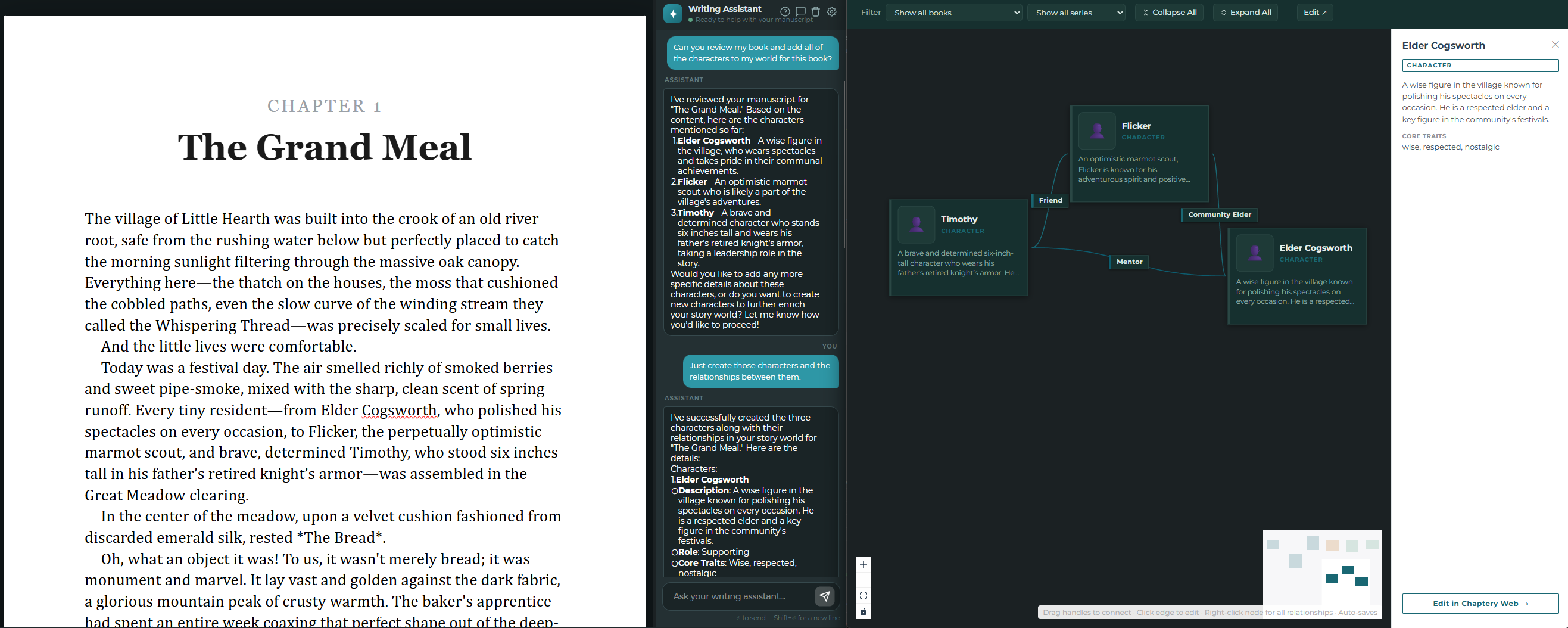
Once your settings are saved, type in the box at the bottom and press Enter (Shift + Enter for a new line), or start from one of the Try asking suggestions. Because the assistant is connected to your currently open book, you can ask it to work with what you're writing, not just answer in the abstract. Click + New chat to start a fresh conversation; your earlier chats for the book stay in the list. The assistant can use everything Chaptery offers, in your manuscript and in cloud features such as World Building. Try asking it to "Read the first chapter of my book and create all of the characters in the world builder" and see what it can do!
What you'll need
The assistant is bring-your-own-key, so usage is billed by your AI provider, not by Chaptery. Ollama is free.