Import a Word document
Already started in Word? Bring it straight in. Chaptery imports your .docx in a single step. It reads the file, splits it into chapters, and keeps your formatting, so you pick up right where you left off.
Import your document
- On the welcome screen, click Import. (When a book is already open, it's File ▸ Import ▸ Word Document….)
- Pick your
.docxfile. - That's it. Chaptery imports it and opens it as a new book. No wizard, no step-by-step setup.
Importing creates and edits a book, so you'll be asked to sign in first if you aren't already.
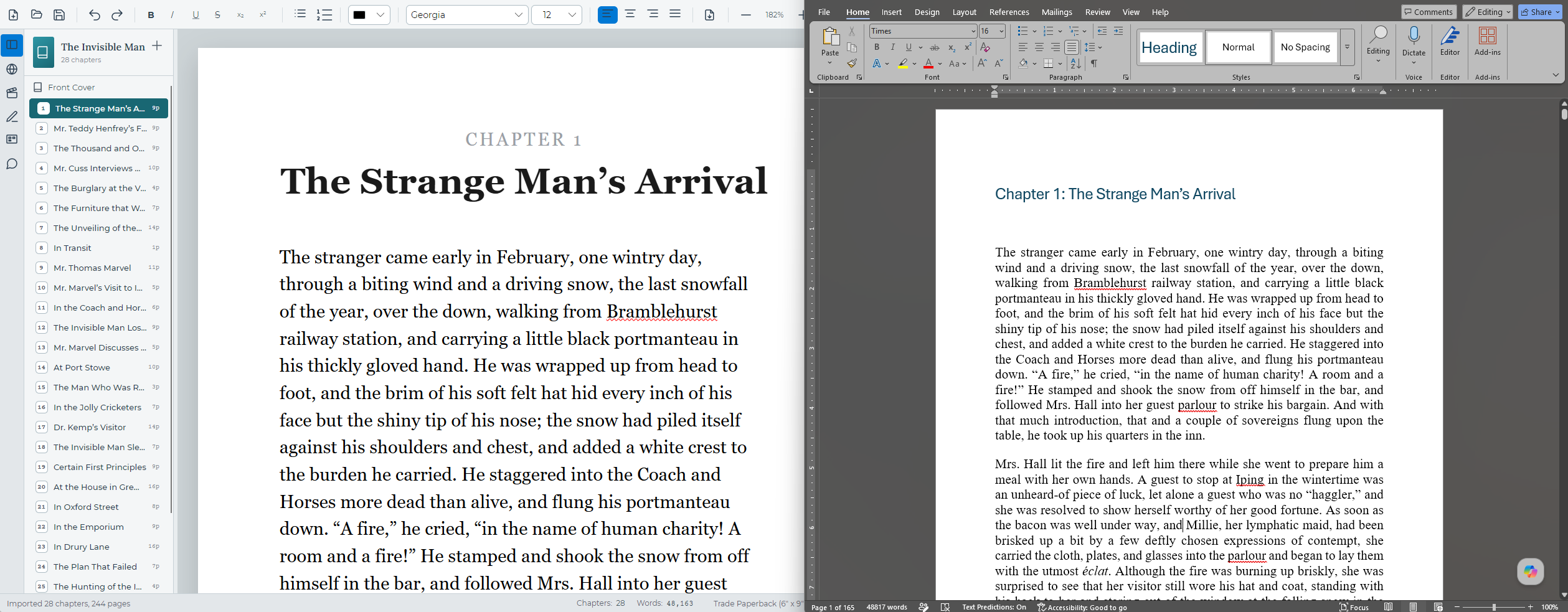
What comes in
Chaptery converts your document into a clean Chaptery book and keeps the essentials:
- Your text, split into chapters automatically
- Headings, and paragraph alignment (left, centered, or justified)
- Character formatting: bold, italic, underline, strikethrough, and highlight
- Bulleted and numbered lists
How chapters are detected
Chaptery splits your manuscript by looking for chapter headings in the text. They're lines like these:
If it doesn't find any, it looks for short, standalone heading-like lines. If there's nothing to go on, the whole document comes in as a single chapter, and you can split it yourself afterward.
What doesn't come across yet
Images. Chaptery doesn't yet support embedded or full-page images, so pictures in your .docx won't import. Your words, structure, and formatting all do. If you have cover art, save it as a separate image file and set it on the Front Cover or Back Cover in the Outline.
After the import
Your document opens as a new book, titled from the filename. From here it behaves like any book you started in Chaptery. You can rename it, restyle it, and build its world, and (signed in) it backs up to your Bookshelf automatically.