Add a character
Characters are the heart of your world. In Chaptery each one is a card you flesh out as much or as little as you like (a name early on, a full dossier later) and reuse anywhere in your books.
Open World Building
On the desktop, open World from the Workspace bar; on the web, head to World Building. It's the same visual canvas either way. Your characters, locations, and events all live here together, and it's where you connect them.
Create a character
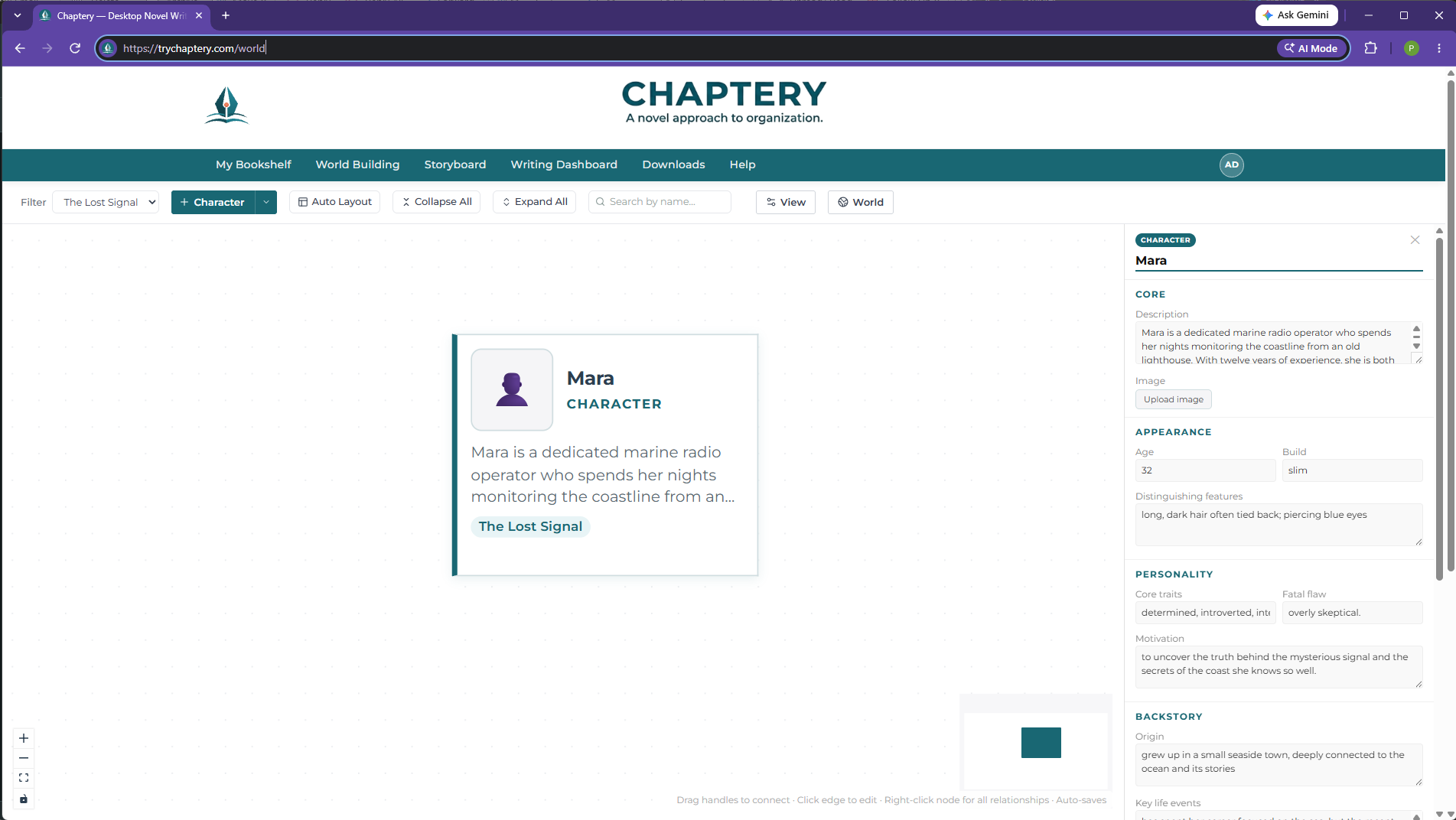
Click Add and choose Character. A panel opens, and the only thing Chaptery requires is a name, so you can capture a character the moment they occur to you and fill in the rest later.
Each character card holds:
- A name and a description
- A Role and an Archetype, chosen from dropdowns (see *Roles & archetypes*)
- An optional image to put a face to the name
Put characters to work
Once a character exists, they're a node on your canvas. Drag them onto the map to connect them to other characters, places, and events, and reuse the same character across every book in a series.